


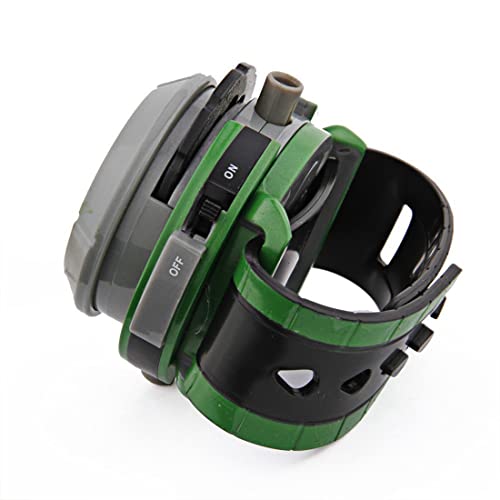
Omnitrix Apple Watch Face
We've brought the iconic alien device to your wrist with our official Omnitrix Apple Watch face. This isn't just a static image — our animated design captures the green glow, rotating dial, and signature aesthetics that fans know and love.
Designed for Apple Watch Series 4 and newer, the face responds to touch with authentic transformation sequences and sound effects. Whether you're checking the time or showing off to fellow fans, you'll feel like Ben Tennyson himself every time you raise your wrist.
- Animated rotating dial with authentic green glow effects
- Touch-responsive transformation sequences
- Compatible with Apple Watch Series 4, 5, 6, 7, 8, 9, SE, and Ultra models
- Customizable complication zones for weather, activity, and calendar
- Always-on display support for Series 5 and newer
Installation & Compatibility
Our Omnitrix apple watch face installs in under two minutes through our dedicated iOS app. Download the Omnitrix Faces app from the App Store, select your preferred watch face style, and sync to your paired Apple Watch.
The face works with Apple Watch Series 4 and all newer models, including the SE and Ultra lines. We’ve optimized the animations for both 40mm/41mm and 44mm/45mm/49mm display sizes. watchOS 8.0 or later is required for full functionality.
Customization Options
We’ve included four complication zones that let you personalize your Omnitrix apple watch experience. Add your activity rings, current weather, calendar appointments, or music controls without compromising the alien device aesthetic.
The dial color scheme adapts to match different alien forms throughout the day. Select from ten classic aliens including Four Arms, Heatblast, and XLR8, each with unique color palettes and animation patterns. Premium subscribers unlock all 50+ alien modes from across the franchise.
Battery Performance & Power Management
We engineered the Omnitrix face to balance visual impact with all-day battery life. On Apple Watch Series 6 and newer, expect 16-18 hours of typical use with animations enabled.
Power-saving mode automatically reduces animation frame rates when your battery drops below 20%. The always-on display shows a simplified static version that maintains the Omnitrix silhouette while preserving charge. You can manually enable low-power mode anytime through the face’s settings menu.
More Omnitrix Apple Watch Accessories


What people are saying

Your Omnitrix Apple Watch Face Questions Answered
The face is compatible with Apple Watch Series 4 and newer, including SE and Ultra models. You'll need watchOS 8.0 or later installed on your watch.
Older models like Series 3 lack the processing power for smooth animations, so we've optimized exclusively for Series 4 onward to ensure the best visual experience. Check your watch's settings to confirm your watchOS version before purchasing.
Download our Omnitrix Faces app from the iOS App Store on your iPhone. Open the app, select the Omnitrix Apple Watch Face from the gallery, and tap Install.
Your iPhone will automatically sync the face to your paired Apple Watch within 30 seconds. Once synced, press firmly on your current watch face, swipe to find the new Omnitrix design, and tap to activate it.
On Apple Watch Series 6 and newer, expect 16-18 hours of battery life with full animations enabled — similar to other animated watch faces. Our power-saving mode activates automatically below 20% battery, reducing animation frame rates while maintaining all functions.
You can manually switch to Classic display mode anytime, which reduces battery usage by 40% while keeping the Omnitrix appearance. Always-on displays use a simplified static version to preserve charge overnight.
Yes, you can select from ten classic aliens in the free version, including Four Arms, Heatblast, XLR8, and Diamondhead. Each alien features unique color schemes and animation patterns that cycle throughout the day.
Premium subscribers unlock all 50+ aliens from across the franchise, plus the ability to create custom rotation schedules and favorite alien playlists. Switch between aliens anytime through the iOS companion app settings menu.
Authentic transformation sounds play through your Apple Watch speaker, perfectly synced with on-screen animations. Haptic feedback delivers the signature activation pulse — one long vibration followed by three quick taps.
Both audio and haptics can be disabled independently in settings for silent operation. Sound effects only play when your watch is unmuted and respect your device's Do Not Disturb settings automatically.
We've included four complication zones that support all standard Apple Watch complications: activity rings, weather, calendar, heart rate, music controls, and third-party app data. The complications integrate seamlessly into the dial design without covering key visual elements.
You can customize which complications appear in each zone through the standard Apple Watch face editing interface. Long-press the watch face, tap Edit, then select Complications to configure your preferred layout.
Our team releases monthly updates with new alien modes, refined animations, and seasonal themes. Recent additions include Omniverse series designs and limited-edition holiday variants.
Premium subscribers receive early beta access to upcoming features, typically 2-3 weeks before public release. All updates install automatically through the iOS companion app — no manual reinstallation required.